

Functionality
Automatically Play the Video Once It Opens (Muted) 🔇
Enable this option to make the video automatically play when the link is opened or a QR code to the link is scanned. The video will play muted, and the user can unmute it by clicking the unmute button.
Note: If this is enabled, all automatic plays will be counted in the statistics as Played/Opened, which may cause the CTR to be misrepresented.

How the Link Looks When Opened 🖥️
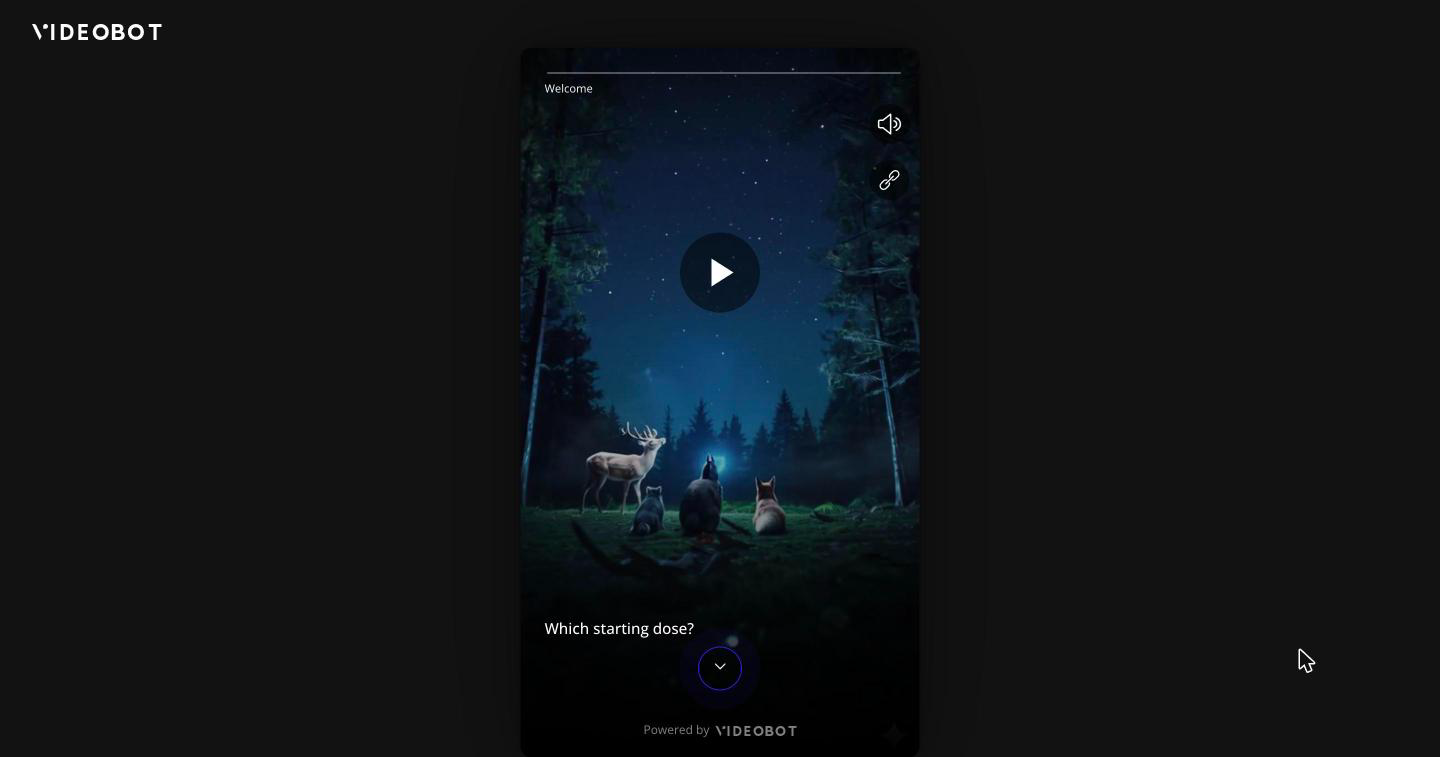
When someone opens your Videobot link directly in a browser (rather than seeing the Videobot embedded on a website), it is shown as a card:
- On desktop and larger screens, the Videobot appears as a centered card with rounded corners over a dark, blurred background. The card takes the shape of the slide's video or image, so a landscape video gets a landscape card and a portrait video gets a portrait card, with no empty bars around the video. If your slides mix portrait and landscape videos, the card changes shape as the viewer moves between them. Presentation slides follow the shape of the browser window instead, so the slide and the speaker fit side by side. The Videobot logo is shown in the top-left corner, unless the watermark is hidden for your Videobot.
- On phones, the Videobot fills the whole screen.
Videobots embedded on a website with the Widget or Iframe code are not affected.
Sharing from the Videobot 🔗
When a viewer uses the Videobot's share button:
- On phones and tablets, the device's own share sheet opens, so they can send the link through their messaging apps, email, and so on. If the browser does not support sharing, the Copy link window below opens instead.
- On desktop and laptop computers, a Copy link window opens inside the Videobot, showing the link and a Copy link to clipboard button.
Buttons that share media work the same way: on phones and tablets they open the share sheet where the browser supports it, and otherwise, including on desktop and laptop computers, the file is downloaded.